
The best job-alert subject line is short, role-first and instantly relevant: something like “New: Senior transport planner, London” rather than a vague teaser. Before any copy tweak, we get sending infrastructure and consent right, because a well-written subject line sent from an unverified domain or to an unconsented list will still land in spam. Personalised tokens come last, once deliverability and list hygiene are proven clean.
TL;DR:
- Confirm consent or the sale exception: contact details must come from a sale or negotiation, with opt out choices at collection and in every alert.
- Check SPF, DKIM, and DMARC, remove hard bounces, and suppress inactive addresses before rewriting subject lines, since authentication and list hygiene drive inbox placement.
- Use saved searches, recent activity, or seniority to segment alerts, then test first name personalization against role only and measure applications, not opens alone.
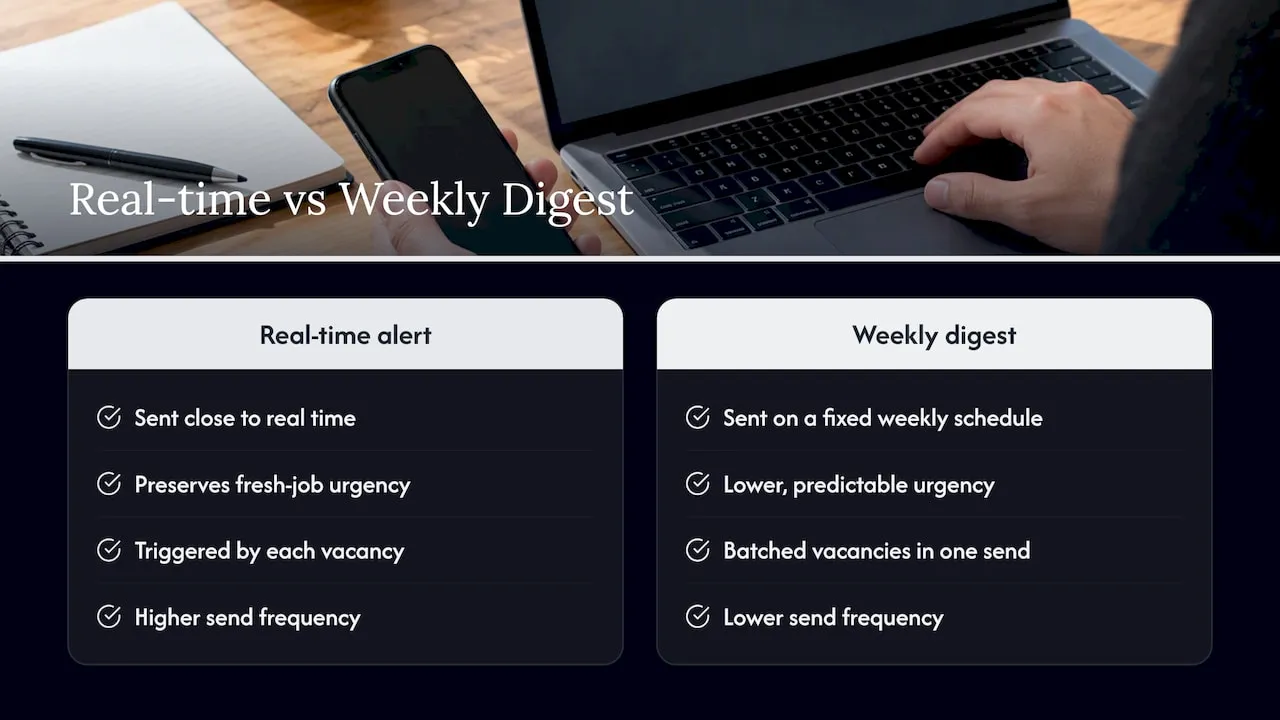
- Send genuine vacancy matches close to real time, schedule digests weekly, and reduce alerts to inactive subscribers rather than increasing volume to regain attention.
Table of Contents
- What makes a good job-alert subject line
- Legal and deliverability checklist every job board must run before testing subject lines
- Personalisation and segmentation tactics for higher open and click rates
- AI, A/B testing and measurement: an operational workflow
- Actionable templates and tested examples for job-alert subject lines
- Frequency and timing impact on subject line effectiveness
- Author perspective and Jobs-in-Transport.com proof points
- How Jobs-in-Transport.com can help you reach the right candidates
- FAQ
- Sources
What makes a good job-alert subject line
Clarity beats cleverness every time with automated alerts. Candidates scan their inbox fast, and a subject line that tells them exactly what matched their saved search earns the open; a subject line built to create mystery just gets deleted.
A few copy principles hold up consistently:
- Keep it to roughly 40 to 50 characters so the full message shows on most inboxes, and put the role or category first, not last.
- Lead with relevance rather than curiosity: “why this matters to you” outperforms “you won’t believe this job”.
- Use a sender name the recipient recognises, tied to the platform or to a named contact, rather than a generic no-reply address.
- Avoid excessive punctuation, block capitals and classic promotional trigger words, which push messages towards spam folders.
- Apply consistent tags such as “[New]” or “[Remote]” so subscribers learn what each alert type means and build a habit of opening them.
Pro Tip: Keep one tag format fixed for months at a time. Changing your tagging convention every few campaigns resets the habit you are trying to build.
Legal and deliverability checklist every job board must run before testing subject lines
Subject-line testing is pointless if messages are not lawful or do not reach the inbox. Run this checklist first:
- Confirm the legal basis for sending. Under regulation 22 of the Privacy and Electronic Communications Regulations 2003, unsolicited marketing emails need prior consent unless the soft opt-in exception applies, and recipients must have a simple way to refuse future use of their details.
- Apply the soft opt-in correctly. Per PECR guidance, the exception only covers contact details collected during a sale or negotiation, with a clear opt-out offered at collection and repeated in every alert.
- Make unsubscribing effortless. The ICO’s direct marketing guidance expects unsubscribe tools to be free, obvious and honoured straight away.
- Validate authentication records. SPF, DKIM and DMARC need to be correctly configured and checked regularly against your sending domain’s reputation.
- Keep the list clean. Remove hard bounces, suppress addresses that have gone quiet, and run address validation to cut bounce rates before they damage sender reputation.
Deliverability, not copy, is usually the real culprit behind low open rates. Mailchimp’s deliverability guidance points to list hygiene and authentication as the primary drivers of inbox placement, ahead of subject-line wording. A job board chasing a better open rate should check its bounce rate and authentication status before rewriting a single headline.
Personalisation and segmentation tactics for higher open and click rates
Personalisation only pays off when it is built on permission and relevance, not guesswork. Segmenting candidates by saved search, recent activity or seniority keeps every alert tied to something they actually asked for.
Useful tactics for a job board sending automated alerts:
- Segment by saved searches, recent site activity and seniority level so each alert reflects a real match rather than a broad category.
- Test first-name personalisation against role-only subject lines and track both opens and whether that uplift carries through to applications.
- Prioritise behaviour-triggered “new match” alerts over scheduled digests; Mailchimp’s personalisation research shows triggered messages tied to recipient behaviour outperform generic broadcasts.
- Use only the data a candidate has actually consented to share, and avoid inferring anything sensitive from browsing patterns.
- Write down segmentation rules clearly, so the same candidate never receives duplicate or contradictory alerts from two overlapping segments.
Our own alert taxonomy on Jobs-in-transport mirrors the categories candidates browse on site, from highways and traffic to rail and logistics, so a subject line referencing “Rail” or “Parking” means the same thing in the email as it does in the job search.
AI, A/B testing and measurement: an operational workflow
AI tools are genuinely useful for generating subject-line variants quickly and flagging words likely to trigger spam filters, but they are not a substitute for human review of tone, accuracy and privacy.
- Define a clear hypothesis before testing (“role-first beats benefit-first for senior roles”) and work out the sample size needed before launching.
- Run tests at the campaign or segment level rather than across the whole list, so results reflect a comparable audience.
- Track opens, clicks and application starts as the priority metrics, in that order of urgency.
- Treat AI-predicted performance scores as a starting hypothesis, not a result; validate every prediction with a live test.
- Keep a running changelog of every test and its outcome, so patterns across months become visible rather than lost.
- Automate rolling tests across smaller segments to avoid exhausting one audience with repeated variants.
Mailchimp’s guidance on AI and subject lines is clear that AI speeds up ideation and spam-word detection, but a person still needs to check brand voice and compliance before anything goes live.
Pro Tip: Run tests long enough to capture a full weekly cycle. A variant that wins on a Monday send can lose by Friday.
Actionable templates and tested examples for job-alert subject lines
Different alert types need different subject-line shapes. Templates work best when grouped by urgency and built around merge tags the platform already holds safely, such as role, location and contract type, never personal identifiers.
- Single-match alert (high urgency, 40 to 50 characters): “New: [Role] in [Location]” or “[New] Traffic engineer, Manchester”.
- Daily digest (informational, up to 60 characters): “5 new transport planning roles this week”.
- Senior role alert (high urgency, specific): “Senior: Head of logistics, [Location]”.
- Niche category alert (informational): “New rail signalling roles added”.
A few formatting notes apply across all of them:
- Square brackets around a tag (such as “[Remote]”) read cleanly and do not trigger spam filters the way exclamation marks or block capitals can.
- One emoji, if any, is enough; stacking several raises deliverability risk for little benefit.
- Merge tags should pull role, location and contract type only; never insert a candidate’s name alongside sensitive filters such as disability status or salary expectations.
- Mark urgency clearly in your naming convention for test variants, for example “SingleMatch_V1_RoleFirst” versus “Digest_V2_Benefit”, so analytics stay readable months later.
Frequency and timing impact on subject line effectiveness
A strong subject line sent too often loses its effect. Candidates who receive several alerts a day start skimming subject lines without reading them, and even a well-written line gets buried in that fatigue.
Matching frequency to the alert type matters more than chasing a single “best” send time. A single-match alert triggered by a genuine new vacancy should go out close to real time, since the urgency in the subject line only holds true if the job is genuinely fresh. A digest, by contrast, works better on a fixed, predictable schedule such as once a week, because candidates learn to expect it and open it when they have time to browse.
Send timing also shapes how a subject line is read. The same line opened first thing in the morning competes with a full inbox; opened mid-afternoon, it has less competition but less attention. Testing send windows per segment, rather than guessing a single optimal time, lets a board find how its own candidate base behaves rather than copying a generic rule.
Reducing frequency for inactive subscribers, rather than increasing it to compensate for low engagement, tends to protect both deliverability and the subject line’s credibility. A candidate who has not opened an alert in weeks is more likely to mark the next one as spam than to suddenly re-engage with a louder subject line.
Author perspective and Jobs-in-Transport.com proof points
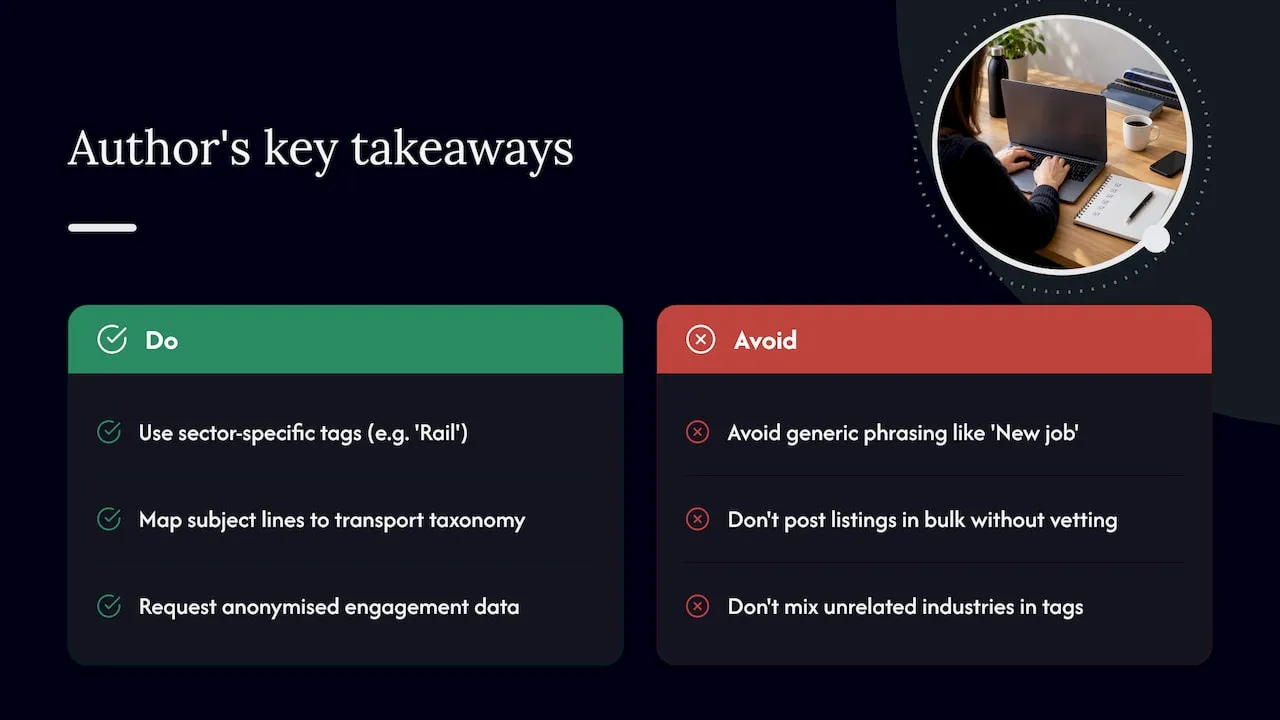
Sector-specific language consistently outperforms generic phrasing in transport recruitment alerts. A subject line that says “Rail” or “Highways & Traffic” rather than just “New job” speaks directly to a candidate who searches in those categories on Jobs-in-transport.
We specialise exclusively in the transport sector and offer targeted access to registered candidates, with listings vetted for quality rather than posted in bulk. That focus means our alert taxonomy, from transportation planning to parking and logistics, can map one-to-one onto subject-line tags without diluting meaning across unrelated industries. If you want to see anonymised engagement patterns behind any of these recommendations, we are happy to share what we can.
— Rob
How Jobs-in-Transport.com can help you reach the right candidates
If you are hiring in transport, the subject line is only half the job: it needs a credible sender and a listing worth opening for. A Premium+ Job Listing or Employer Profile gives your vacancy a recognisable identity that candidates already associate with quality roles in their saved searches.
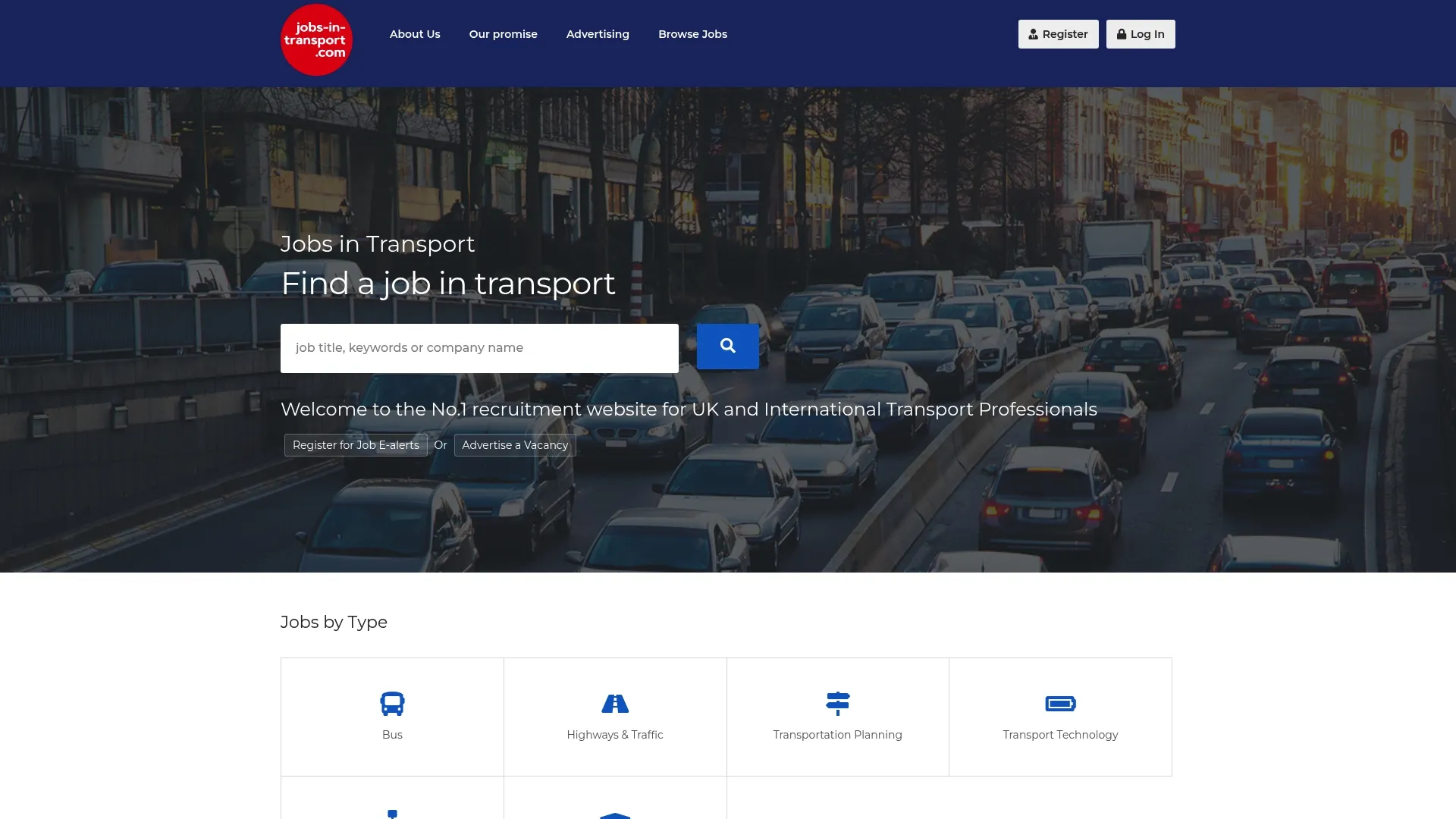
- Compare our advertising rates across Standard, Premium and Premium+ Job Listings.
- Set up an Employer Profile so your vacancies carry a sender name candidates recognise.
- Contact us about a vacancy if you want help matching your role to the right alert category.
For sector-aligned training content worth referencing in follow-up communications, our partner Cozys offers transport manager refresher and OLAT training alongside group transport services.
FAQ
What is the ideal character length for a job alert subject line?
Aim for roughly 40 to 50 characters, since many inboxes display only the first 50 to 60 characters before cutting the line off, according to Mailchimp’s guidance. Putting the role and location first protects the most important information from being truncated.
Do job alert emails need explicit consent under PECR?
Yes, in most cases. Regulation 22 of PECR requires prior consent for unsolicited marketing emails unless the soft opt-in exception applies, and every message must offer a simple way to opt out.
Does personalisation actually improve open rates for job alerts?
Personalisation helps when it reflects something the candidate actually expects, such as a saved search match. Mailchimp’s research shows behaviour-triggered alerts outperform generic digests, while simple name personalisation can lift opens on its own.
How often should a job board send alert emails?
Frequency should follow the alert type rather than a fixed rule: trigger single-match alerts close to real time, and keep digests on a predictable weekly schedule. Sending too often to inactive subscribers tends to hurt deliverability more than it helps engagement.
Can AI write effective job alert subject lines?
AI tools can generate variants quickly and flag likely spam-trigger words, which speeds up testing. Mailchimp’s guidance recommends pairing AI suggestions with human review for brand tone and privacy before anything goes live.


