
Job board analytics measure how job seekers behave on a listing and how that behaviour converts into applications and hires, tracked through dashboards, click data and conversion metrics. The single most important number to watch first is your application click rate, followed closely by applications per posting and your jobs-to-applicant ratio. If those three are healthy, most other problems are cosmetic. Specialist platforms such as Jobs-in-transport build reporting around exactly this trio for niche sectors like transport, highways and logistics.
TL;DR:
- A click-through rate of 10-15% is typical for niche transport job boards, while general boards usually see 4-8 percent, indicating relevance issues.
- Applications per posting and jobs-to-applicant ratios are crucial for assessing whether listings attract enough candidates without overwhelming screening processes.
- Reliable data depends on consistent tagging, integrating job board logs, ATS records, analytics platforms, and ad channel data, with strict governance and regular validation.
- Tracking conversion drops between apply-start and apply-complete, or screen and interview, helps identify bottlenecks and improve listing effectiveness through A/B testing and listing refreshes.
- Privacy rules require controlling access to candidate data, setting data retention limits, and anonymizing data, especially when analyzing international job posting traffic.
Table of Contents
- What core metrics show job board performance and marketplace health?
- How do you capture job board data you can actually trust?
- How do you turn job board analytics into better hires?
- What should daily, monthly and quarterly reports include?
- What privacy and compliance rules apply to job board analytics?
- Publisher perspective: why niche board data tells a straighter story
- How Jobs-in-transport helps you measure and improve listing performance
- Sources
What core metrics show job board performance and marketplace health?
Application click rate tells you what percentage of people who view a listing actually click through to apply. The formula is simple: applications divided by views, multiplied by 100. On general job boards, a healthy click rate sits at 4–8%. On niche boards, where the audience is already pre-qualified by sector interest, that figure typically climbs to 10–15%. If a transport-specific listing is pulling general-board numbers, something in the job title, salary transparency or location clarity is putting candidates off before they click.
Applications per posting matters just as much, because it tells you whether the listing is generating enough volume to give a hiring manager real choice. Too few applications and you risk a rushed hire; too many with no filtering and your team drowns in screening. Fill rate, the share of postings that result in an actual hire within a set window, is the metric employers ultimately judge you on.
A handful of supporting numbers round out the picture:
- Jobs-to-applicant ratio: how many open roles exist per active candidate in your pool, a direct read on marketplace supply and demand.
- Time to first application: how quickly a fresh posting gets its first response, an early warning sign for weak visibility.
- Average time-to-fill: the full cycle from posting to offer acceptance.
- Candidate experience score (cNPS): a simple satisfaction measure that flags friction in the apply process before it shows up in your fill rate.
Which of these to prioritise depends on where your board stands. Early-stage boards should watch time to first application and click rate, because those expose visibility problems fast. Growth-stage boards need to focus on applications per posting and fill rate. Mature boards, with stable listing volume, get more value from tracking jobs-to-applicant ratio and cNPS, since those reveal quality and retention issues rather than basic traffic problems. A recruitment analytics dashboard built around this core set, rather than dozens of vanity metrics, tends to get used far more consistently by hiring teams.
How do you capture job board data you can actually trust?
Reliable analytics start with connecting the right systems, not with buying more software. Four sources need to talk to each other:
- Job board event logs, capturing job ID, view counts and apply-click events at the listing level.
- ATS records, particularly hire dates, so you can trace a click all the way through to an offer.
- Analytics platforms, tracking on-site behaviour like pages per session and bounce rate.
- Ad channel data, if you’re running paid promotion or featured listings alongside organic traffic.
The glue holding these together is consistent tagging. Every job needs a unique job ID that persists across the board, your ATS and any UTM parameters used in email alerts or paid campaigns. Without that, you end up with duplicate application counts, or worse, no way to tell whether a hire came from a job board click or a direct referral. Tagging every job and source before launch, rather than retrofitting it later, saves weeks of reconciliation work.
Governance matters more than most teams expect. Decide upfront who can edit dashboard definitions versus who can only view results, because a metric that quietly changes its formula halfway through a quarter makes every trend line meaningless. Set a refresh cadence, daily for operational dashboards, weekly or monthly for strategic ones, and stick to it. Stale data that looks current is more dangerous than data that’s honestly labelled as a week old.
Pro Tip: Run a monthly validation check where you manually pull five applications from your ATS and confirm they match the source your dashboard says they came from. It takes ten minutes and catches attribution errors before they compound.

For smaller teams without a dedicated analytics function, prebuilt dashboard templates for Power BI import in minutes, and a basic Excel pivot table can handle the core metrics perfectly well until volume justifies something heavier.
How do you turn job board analytics into better hires?
Reading a conversion funnel is where most of the useful diagnosis happens. Map the stages: apply-start, apply-complete, screen, interview, hire. A big drop between apply-start and apply-complete points to a broken or overlong application form. A drop between screen and interview usually means the job description is attracting the wrong candidates, not too few of them. Plotting weekly conversion rates against each other makes bottlenecks visible within a couple of reporting cycles rather than a full quarter.
Attribution is the part teams get wrong most often. A simple last-touch model, crediting whichever source generated the final click before application, is easy to set up and fine for most niche boards. Multi-touch attribution, splitting credit across every touchpoint a candidate had, gives a fuller picture but needs more mature tracking infrastructure. Start simple. Syncing hire outcomes back from the ATS into your source data is the step that actually makes either model trustworthy.
Once you can see where the funnel leaks, a few actions consistently move the numbers:
- Run A/B tests on job titles, since small wording changes can shift click rate by several points on niche boards.
- Simplify the apply flow to a handful of fields; every extra field lost some percentage of completions on general recruitment funnels.
- Shift ad spend toward the sources with the best click-to-hire ratio, not just the highest raw click volume.
- Refresh listings that have sat stale for more than a few weeks. Freshness alone often lifts time to first application.
Tie all of this back to applications per posting and fill rate over time, and you have the clearest proof point for renewing an employer’s advertising spend: the listing didn’t just get views, it got hires.
What should daily, monthly and quarterly reports include?
Different stakeholders need different slices of the same data, and cramming everything into one dashboard guarantees nobody reads it properly. Starting with five to seven high-impact KPIs per audience, rather than every metric available, keeps reports usable.
Recruiters need a daily or weekly operational view: active job count, pipeline volume per role, and time-to-first-application flagged red when a posting has gone quiet.
Hiring managers get a monthly summary: application click rate, average applications per posting, which sources are performing best, and cost per hire where that’s tracked.
Executives want a quarterly view built around trend, not snapshot: revenue per posting, employer retention rate, and marketplace health ratios like jobs-to-applicant balance, benchmarked against prior quarters.
- Keep one KPI per chart wherever possible; combined charts obscure the number that actually matters.
- Mark a clear benchmark line on every visual, whether that’s the 10–15% niche click-rate benchmark or your own historical average.
- Set refresh cadence to match the audience: daily for recruiters, monthly for managers, quarterly for executives.
What privacy and compliance rules apply to job board analytics?
Job board analytics inevitably involve personal data: candidate names, contact details, application histories and sometimes CVs stored against a specific job. Under UK data protection law, that means job boards and employers processing this data need a lawful basis, typically consent for marketing communications like job alerts, and legitimate interest for core application processing.
Retention limits matter more than most hiring teams realise. Holding CVs and application data indefinitely “just in case” creates unnecessary exposure. Set a defined retention window, commonly between six and twelve months for unsuccessful applications, and document it in your privacy policy.
Access control is a compliance issue as much as a data-quality one. Anyone with dashboard edit rights can, in principle, see identifiable candidate information. Limiting who can view raw applicant-level data, versus who only sees aggregated metrics like click rate or fill rate, reduces risk without slowing down reporting.
Anonymising or aggregating data for trend analysis, rather than working from raw candidate records whenever possible, is good practice for any team building recruiter, manager or executive dashboards. And if you’re running analytics across international job postings, remember that data protection rules vary by jurisdiction. A UK-based board serving international transport roles needs to check where candidate data is stored and processed, not just where the job is advertised.
Publisher perspective: why niche board data tells a straighter story
Jobs-in-transport has run a specialist board for the transport sector since 2005, covering highways, traffic management, transport planning, transport technology and project management roles. That focus changes what the analytics actually show you.
On a general board, a click-through spike might mean nothing, curious browsers, irrelevant traffic, noise. On a sector-specific board, the same spike almost always means genuine candidate interest, because the audience arrived already filtered by profession. That’s why niche click rates consistently outperform general boards, and why time to first application tends to be faster here. Employers advertising highways or logistics roles get a signal worth acting on, not a number worth second-guessing.
— Rob
How Jobs-in-transport helps you measure and improve listing performance
Jobs-in-transport gives employers a straight line from a job posting to a hiring decision, without needing a separate analytics stack bolted on afterwards. Because the board sits entirely within transport, highways, traffic management and transport technology, the click and application data you get back is sector-filtered from the start, not noise you have to clean up yourself.
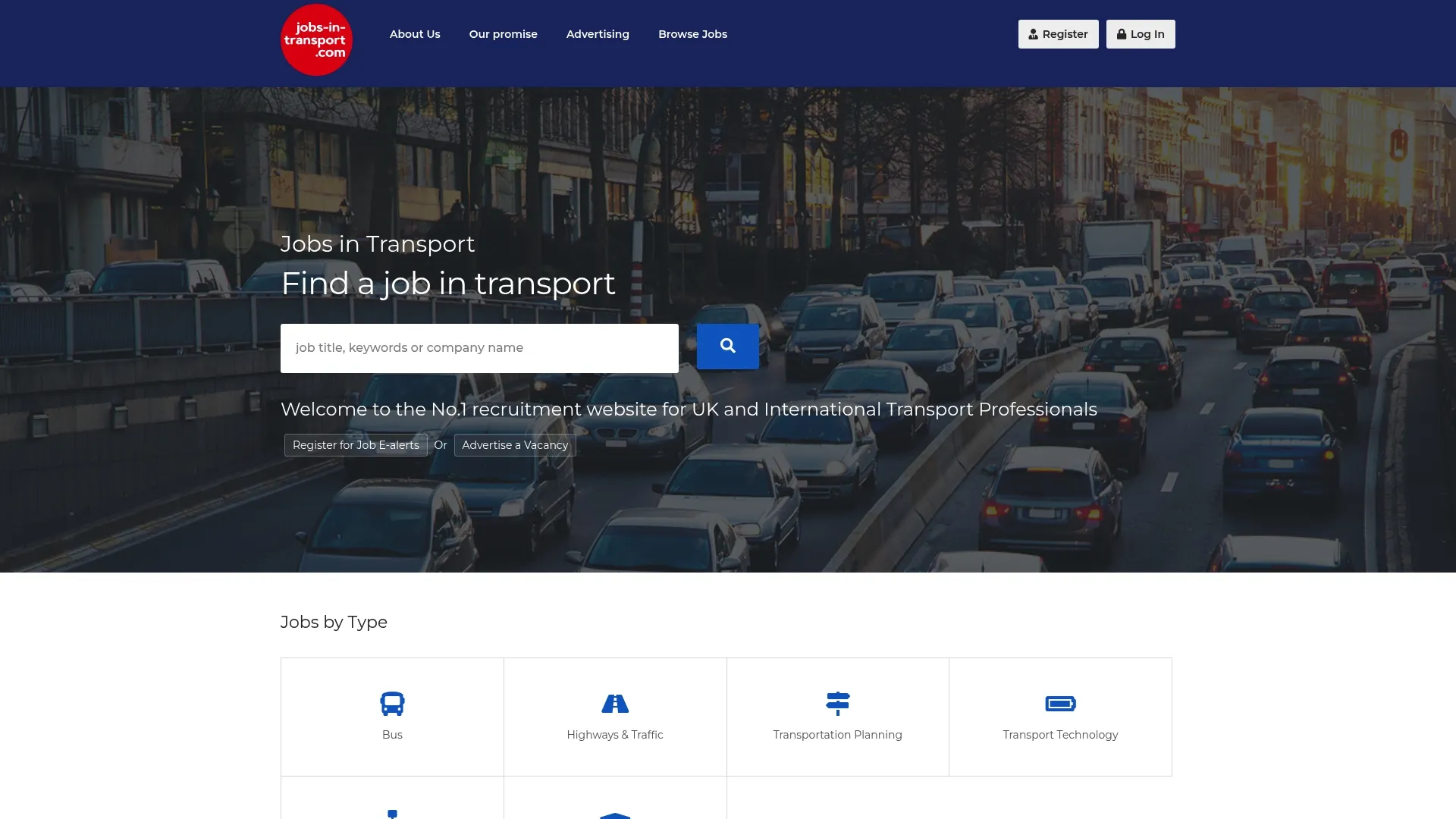
Employer accounts include job-level apply metrics, an employer dashboard for tracking postings side by side, CV hosting for candidate review, and featured listing placement for roles that need faster visibility. Reporting access is part of the employer offering, so you can see application click rate and applications per posting for your own listings without exporting data manually.
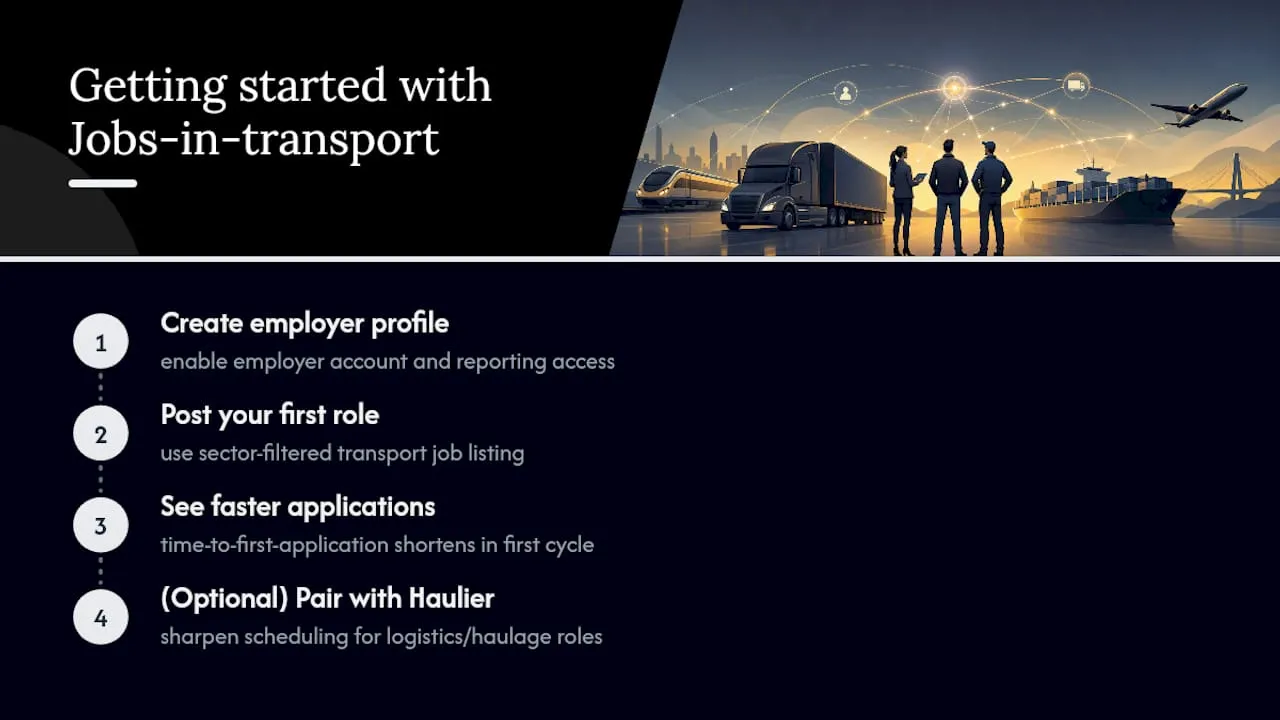
Getting started means setting up an employer profile and posting your first role. Most employers see their time-to-first-application shorten within the first posting cycle once traffic is properly filtered by sector relevance. If you’re hiring for logistics or haulage roles specifically, pairing your listing strategy with tools like Haulier for desk-side scheduling can sharpen the operational side too.
Head to the Jobs-in-transport homepage to post a role or request reporting access for your existing listings.
Sources
- Recruitment Analytics Dashboard: Essential Metrics and Reporting Frameworks
- Recruitment analytics: the complete guide to data-driven hiring
- The job board KPI guide: how to measure a two-sided marketplace, not just a website | Cavuno
- How to measure recruitment marketing ROI


